


Three Ways to Summarize
• Quick Summary • Sequential Summary • Deep Dive Questions
Unlock YouTube Insights with AI For Free and save hours of time and effort.
Download Free on the Mac App Store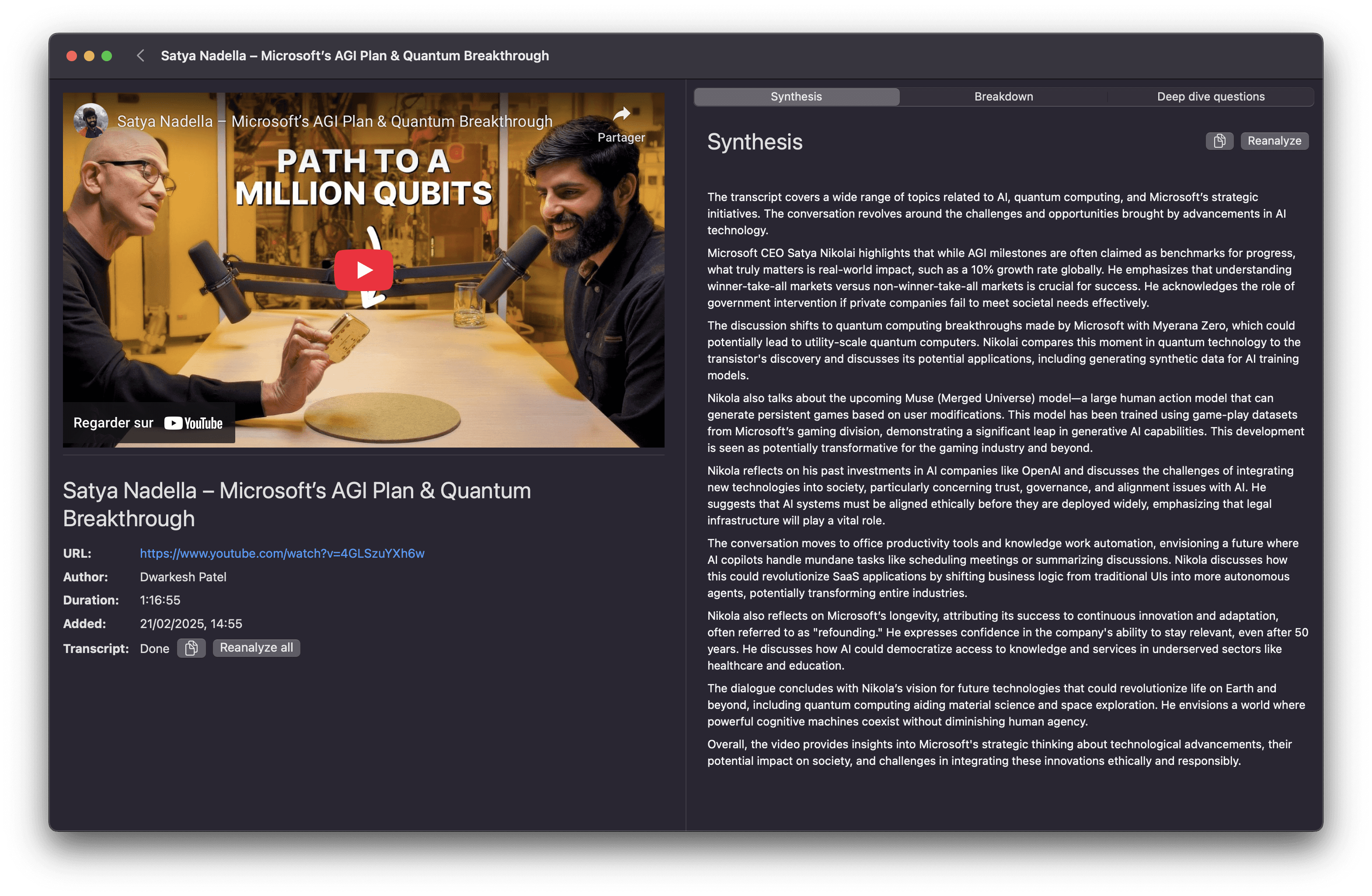
Boost your productivity
Effortlessly turn hours of video into digest content.
• Quick Summary • Sequential Summary • Deep Dive Questions
Avoid wading through hour-long content. Whether it's a tutorial, lecture, or interview, InsightKeeperAI helps you focus on what really matters.
No subscription, no in-app purchases. Install it on your Mac, run unlimited analyses, and start boosting your productivity right away.
Built for macOS, the interface is designed to be user-friendly and efficient, helping you get from YouTube URL to insights with minimal hassle.
Everything you need
Designed for different needs, each summary saves you precious time at every turn.
Capture the main ideas at a glance, perfect for rapid decision-making.
Identify key moments and jump straight to the parts that matter.
Reveal critical points and underlying implications with 5 in-depth questions.
Simple and efficient
In four simple steps, turn any YouTube video into concise, actionable insights, privately and right on your Mac.
Click "Download Free on the Mac App Store" to get started. The installation of InsightKeeperAI Youtube summarizer is quick and safe from Apple App Store.
Copy the URL of a video you'd like to analyze, then drop it into InsightKeeperAI Youtube summarizer.
Everything runs locally on your Mac: no servers, no data uploads. Your privacy stays protected as our AI processes the video. Depending on your Mac's performance, analysis can take a few minutes.
Choose between Quick Summary, Sequential Summary, or Deep Dive to extract the insights you need. Save time and focus on what really matters.
Yes. You get unlimited summaries at no cost: no hidden fees or premium tiers. This tool is part of InsightKeeperAI, a personal knowledge hub for Mac with powerful capabilities for handling online content.
Everything runs locally on your Mac using Apple's MLX framework. The model reads the video transcript, extracts main ideas and key moments, and produces structured summaries.
Yes. Sequential Summary and Deep Dive modes are specifically designed for long content. Processing time scales with video length and your Mac's performance.
No, the app is Mac-only and built specifically for Apple Silicon (M1, M2, M3, M4) to leverage MLX for optimal performance.
Currently the tool supports YouTube URLs only. Support for local video files is on the roadmap.
No account needed. Download the app from the Mac App Store and start summarizing immediately. Your data stays on your Mac.
Join Mac users who rely on InsightKeeperAI YouTube Summarizer to save time and gain deeper insights.
Download Free on the Mac App Store